workdo sale image

Get 50% off all Add-Ons today! Need more? Check Bulk Discounts!

get 50% off
Property Management System

The Best Property Management Software Depends Entirely on How You Operate

Introduction

Every roundup of the best property management software organises its recommendations the same way: small portfolio, medium portfolio, large portfolio. Portfolio size matters - but it is not the deciding factor. An independent landlord managing 20 units and a housing society administrator managing 60 apartments in three towers are the same portfolio size and completely different operations. What determines whether a system is the right fit is whether it was built for your specific type of work - the billing logic you run, the access structure your team needs, the workflows your tenants and residents interact with daily.

This page covers seven types of property operations. For each one, it explains exactly what the system handles and why it fits that specific operation - so the question shifts from "which software has the best reviews?" to "which software runs the way my business actually works." The types of property management system covered here include real estate agencies, independent owners, housing society administrators, builders and developers, facility management companies, rental and leasing businesses, and co-living operators. If your operation falls into one of these categories, the answer to which property management software is best for you is on this page.


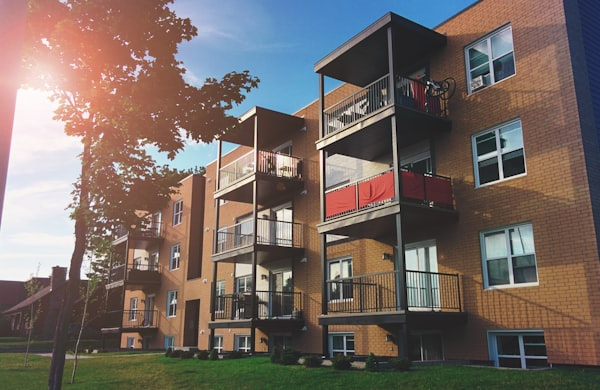
Modern apartment building with balconies

The seven operation types covered below:

Agencies

For Real Estate Agencies Managing Client Portfolios

A real estate agency does not just manage properties - it manages relationships with property owners who expect professional reporting, prompt communication, and a branded service experience. Standard rental software is built for the landlord. This system is built for the agency operating on behalf of multiple landlords simultaneously.

  • White-label platform The entire system is rebrandable: your agency's logo, your domain, your client-facing identity. No software vendor name appears anywhere a client or tenant can see. The platform becomes your product, not a visible third-party tool.
  • Per-client portfolio reporting Financial breakdowns, expense reports, and maintenance histories are separated by client property. Owner statements are accurate and immediately available without compiling data from multiple sources.
  • Role-based team access Each property manager on your team accesses only their assigned portfolios. Administrators see the full picture across all clients. Clients access only their own property data. Nothing overlaps, nothing is overexposed.
  • Contract management for agency agreements Property management agreements, landlord contracts, and renewal schedules are tracked with digital signatures from both parties and renewal alerts built in. No contract lapses unnoticed.
  • Public property listing website Available units are displayed on a built-in listing portal under your brand, giving the agency a professional public presence for tenant-facing listings without a separate website build.
  • Activity audit trail Every action taken by every team member across every client portfolio is logged with a timestamp. Management can review what was done, by whom, and when - without asking.

For agencies building a branded property management service without building custom software, this is the best property management software for that model. The source code is included, so technical teams can extend or integrate the system as the agency grows.

Independent Owners

For Independent Property Owners Running Their Own Rentals

According to the U.S. Census Bureau, approximately 11 million individual landlords in the United States still manage their rental portfolios without dedicated software - most relying on manual processes that cost time every single month. The system replaces those processes with workflows that run without instruction.

  1. Challenge 1 - Rent collection is a monthly manual effort that compounds with every unit added.

    Cross-referencing bank statements against expected payments, sending individual reminders, logging receipts by hand - for an owner managing 10 units without administrative staff, this is hours spent on work that should not require human attention at all. The system generates invoices automatically when rent falls due, flags Paid, Pending, or Overdue status in real time, and sends reminders to tenants before due dates without any manual step from the owner. The only job left is reviewing what the system flags as an exception.

  2. Challenge 2 - Lease renewals get missed because no single person is tracking all of them.

    A lease expiring quietly costs an owner the negotiation window, sometimes the tenancy entirely. The system monitors every active lease's end date and triggers alerts before expiry. Every renewal is logged with updated terms, value, and status as its own record. No lease lapses unnoticed because it slipped past a calendar reminder someone forgot to set.

  3. Challenge 3 - Maintenance requests are chaotic without a structured system to receive and track them.

    Tenants call personal phones, send messages to a general inbox, or leave voice messages - the owner coordinates with a contractor informally and has no reliable record of what was agreed, when it was completed, or what it cost. The system converts every request into a documented work order: submitted by the tenant from their self-service portal, assigned to a contractor with a priority level, tracked to resolution, and archived with the cost logged against the property.

For independent owners building a portfolio without subscription software eating into margins every month, a one-time purchase with no recurring per-unit fees is the financially rational model. The cost stays fixed as the portfolio grows.

Housing Societies

For Housing Society and Apartment Complex Administrators

The manual workflow

It is the third of the month. A housing society administrator is responsible for 72 apartments across four towers. In the manual workflow, the month starts like this: calculate each apartment's maintenance bill individually - the base maintenance rate, the utility meter reading from last week's building walk, and each unit's proportional share of the previous month's common area expenses (corridor cleaning, lift maintenance, perimeter security, garden upkeep). Late payers from the previous cycle need to be identified by cross-referencing a spreadsheet against bank records, and penalty charges calculated per unit according to the grace period policy. The notice about next week's water tank cleaning needs to go out - probably through WhatsApp, and hope all 72 households see it before the relevant date. Three complaints from residents are sitting in a text thread, unassigned and still marked as read. The parking allocation for the new resident in Tower C needs to be recorded somewhere accessible.

Inside the system

Inside the system, the month starts differently. The billing cycle generates automatically on the first: every apartment receives a single invoice combining the maintenance rate, the individual utility reading, and the unit's proportional share of common area costs. Penalty charges apply automatically to any apartment with an overdue balance, based on the grace period and late fee percentage configured once by the administrator. The water tank notice is published through the community notice board - targeted to all residents, visible on every tenant's portal, and set to expire automatically after the relevant date. The three complaints are formally raised, each assigned to a staff member, each tracked through Open to In Progress to Resolved to Closed, and each closed with a satisfaction rating from the resident. The Tower C parking allocation is linked to the new resident's profile in the system.

No competitor ranked as the best property management software in mainstream review sites covers this operational layer. For housing society administrators, this is not a feature added to a rental platform - it is a complete community management workflow built for the specific operational rhythm societies run every month.

Builders & Developers

For Builders and Developers Managing Post-Handover Units

When a residential development is complete and units are handed over to residents, the management phase begins. Most builders transition from one set of disconnected tools - a spreadsheet for unit inventory, a separate system for listing, a manual process for lease generation - to the same disconnected approach, just applied to an occupied building. The system connects every stage of that handover-to-managed-tenancy journey in one place.

  1. Add each completed unit to the portfolio Properties and units entered once with full specification: location, floor, room configuration, amenities, applicable maintenance charge, and any security deposit terms
  2. List available units on the built-in public portal The integrated listing website displays available units publicly so prospective tenants can browse, view details, and submit booking requests directly, without a third-party listing platform
  3. Receive and process incoming tenant applications Booking requests arrive inside the system; the developer or their team reviews, sets lease terms, and initiates the onboarding process from the same interface
  4. Generate the lease agreement and collect e-signatures The lease is created from a template, sent for digital signatures from both parties, stored against the unit and tenant record, and tracked for its renewal date automatically from the moment it is signed
  5. Run rent collection and renewal tracking automatically Once the tenancy is live, invoice generation, payment status, overdue flags, and lease renewal alerts run without instruction; the developer's per-unit operational overhead drops to near zero

For builders managing their own portfolio after project delivery, this replaces four separate tools - public listing, leasing software, contract management, and rent tracking - with one system purchased once and owned outright.

Facility Teams

For Facility Management Companies

When a facility management company needs to track physical assets across five buildings, schedule security guard rotations, log visitor entries with compliance verification, manage equipment maintenance records, and account for daily staff petty cash - how many separate tools does that currently require?

Inside this system, it requires one:

  • Asset register with depreciation Every property asset catalogued with purchase cost, category, assigned location (building, floor, room), condition, and automatic annual depreciation calculated using Straight Line, Declining Balance, or Sum of Years method
  • Equipment register with license tracking Fixed equipment logged with model, serial number, manufacturer, supplier, and purchase details; compliance licenses tracked with issue and expiry dates, with automatic alerts before any license lapses
  • Security guard management Guard profiles with employment records; shifts scheduled per post (Morning, Night, General) across all sites; attendance confirmed automatically or flagged when a guard does not clock in; incidents logged formally with location, priority level, and resolution status
  • Visitor tracking with compliance Every visitor's entry and exit logged digitally with arrival time, purpose, and host; badge numbers issued per visit; pre-registration for expected visitors; compliance document verification tracked per visitor; visual daily and period reports for management oversight
  • Petty cash and expense control Cash allocated per staff member with a tracked balance; expense requests submitted and approved inside the system; reimbursements logged with immutable records after approval; full activity audit trail across all transactions
  • Maintenance scheduling and equipment audits Maintenance jobs scheduled against specific assets with type, cost, technician, and completion dates; equipment audit records linked to each asset's permanent history

For facility management companies running operational layers that the top property management software tools in mainstream reviews do not address, this system covers the full picture - and at a one-time cost with no recurring fee per module or user.

Rental Businesses

For Rental and Leasing Businesses

Rental and leasing businesses run a booking-to-invoice workflow that most property management tools were not designed to handle - they are built for long-term residential tenancies, not item or property rentals with variable durations, security deposits, and mid-period maintenance. This system covers both.

  • When a rental inquiry arrives,

    the system creates a booking order with rental type (daily, weekly, monthly, or yearly), start and end dates, and auto-calculated pricing - not a manually assembled quote in a spreadsheet that has to be re-entered into a billing tool.

  • When the customer confirms,

    a security deposit is logged against the booking record with its own status - pending, approved, or returned - not written into a notes field that may or may not surface at return time.

  • When the booking is formally approved,

    it converts to an invoice in one action - the customer information, rental details, and pricing carry across automatically without re-entry.

  • When a maintenance issue arises during the rental period,

    a maintenance request is created at the booking level, assigned to a contractor with a priority classification, and tracked through to resolution with the cost logged against the booking - not handled through a phone call with no formal record.

  • When the rental period ends,

    the security deposit return is processed with a return date and condition notes recorded against the booking - not handled through a separate bank transfer with nothing formally documented.

For rental and leasing businesses managing daily, weekly, monthly, or yearly cycles - whether the rentable asset is a property, a unit, or physical equipment - every stage of this workflow is documented, auditable, and connected inside one system.

Co-living & PG

For Co-living and PG Operators

Co-living and PG operations carry an operational density that most rental software is not designed for: multiple tenants sharing a single property unit, daily visitor movement that needs to be tracked and logged, shared billing for utilities and common spaces, and community rules that need to reach everyone simultaneously. Standard rental software handles one lease per unit. This system handles the actual working reality.

The visitor and security layer operates as a built-in function, not a separate tool.

Every visitor to the property is logged on arrival - name, purpose, host, arrival time - and on departure, with duration calculated automatically. Badge management issues a number per visit. Pre-registration allows expected visitors to be entered before they arrive. Visitor compliance tracks required document types per visitor for properties with access regulations. The daily visual timeline shows management exactly who is currently on site without a phone call to the front desk.

Shared billing and community communication are handled inside the same system.

Common area costs - utilities, cleaning, shared maintenance - are split and billed alongside individual charges. The community notice board distributes announcements to all residents simultaneously with audience targeting, publish dates, and automatic expiry. No WhatsApp broadcast, no pinned notice that 30% of residents miss. Complaints are formally raised by residents, assigned to staff, and tracked through a resolution workflow with a satisfaction rating at close.

The tenant portal reduces the daily interruption load on the operator.

Each resident accesses their own record - their lease terms, their payment history, their maintenance requests, their documents - without contacting the operator for information that should already be accessible. For a PG operator managing 30 residents across multiple shared properties, removing that daily inbound volume makes the operation scalable without proportionally more staff time or administrative overhead.

Your Operation

Which Property Management Software Is Best for Your Operation?

The most popular property management software in mainstream rankings is evaluated on price per unit and feature checklists. That framework works if your operation fits a standard residential landlord profile. It does not work if you run a housing society, a facility management company, or a rental business with variable booking cycles. According to Capterra's research, 32% of property management professionals report that delivering quality customer service is their top operational challenge - a problem that structured self-service workflows and complete operational visibility solve more directly than any pricing comparison does.

The better question is not which software has the best average user rating - it is whether the software was built for how your specific operation actually runs. Three questions that determine the answer more precisely than any feature comparison:

  • Does it cover your complete operational workflow? The best real estate management software for a facility manager is not the same as the best option for a residential landlord. A facility team needs asset depreciation calculations, equipment license tracking, security guard scheduling, and visitor compliance trails. A residential landlord needs automated rent collection and lease renewal alerts. A housing society administrator needs both of those, plus billing cycles, common area cost splitting, and community notice management. Confirm the system covers your specific workflow before evaluating anything else.
  • Does the cost structure suit how your business grows? Per-unit monthly fees compound as a portfolio expands. A system priced at $1.50 per unit per month costs $900 annually for 50 units and $1,800 annually for 100 - and that is before premium features are factored in. A one-time purchase with no recurring fees remains the same cost whether the operation manages 20 units or 200.
  • Does your data stay under your control? Self-hosted software means tenant records, financial data, lease documents, and billing histories sit on your own server. No third-party cloud vendor holds it. No vendor price change or service discontinuation affects your access to your own operational data.

This system is the best software for property management operations that need more than standard rent-collection-and-maintenance functionality - and for operations that want to own their platform rather than rent access to someone else's.

Faq's

Frequently Asked Questions About the Best Property Management Software

The best property management software for housing societies automates monthly billing cycles, splits common area costs, tracks utility readings, manages complaints through a resolution workflow, and runs a community notice board - all from one system.
Agencies need white-label branding, per-client portfolio reporting, team role separation, and contract management with e-signatures. The best property management software for agencies covers all of this without requiring separate tools.
Facility teams need an asset register, equipment maintenance logs, security guard scheduling, visitor compliance tracking, and petty cash control. The best system for facility managers covers all of these in one platform without separate tools.
It manages the full booking-to-invoice workflow: rental orders with daily, weekly, monthly, or yearly types; security deposit tracking; booking approval; automatic invoice generation; and maintenance scheduling during the rental period.
Builders need a public listing portal for available units, a tenant booking and lease generation workflow, digital signatures, and automatic rent collection once tenants are live - all in one system covering the post-handover management cycle.
Co-living operators need visitor tracking with badge management, shared billing for common areas, a resident notice board, formal complaint resolution, and individual tenant portals - all in one platform rather than assembled from separate tools.