
ERP System Examples: Top ERP Software for Every Business
Explore real ERP system examples, compare leading ERP software, and choose the best solution for your business.

ERP System Examples: What Businesses Actually Run Today
Most business owners don’t wake up thinking about ERP system examples. They wake up thinking about a missed shipment, a payroll error, or a customer complaint that nobody followed up on.
That’s exactly where ERP fits in.
An enterprise resource planning system pulls finance, inventory, HR, sales, and support into one connected platform. Instead of five tools that don’t talk to each other, you get one system that does. In this guide, we’ll walk through real ERP system examples used by manufacturers, retailers, and healthcare providers today, compare the ERP software businesses actually run in 2026, and show how daily operations change once ERP is in place.
By the end, you’ll know exactly which ERP example matches your business and which system fits it best.
examples of erp systems: A Before-and-After Look
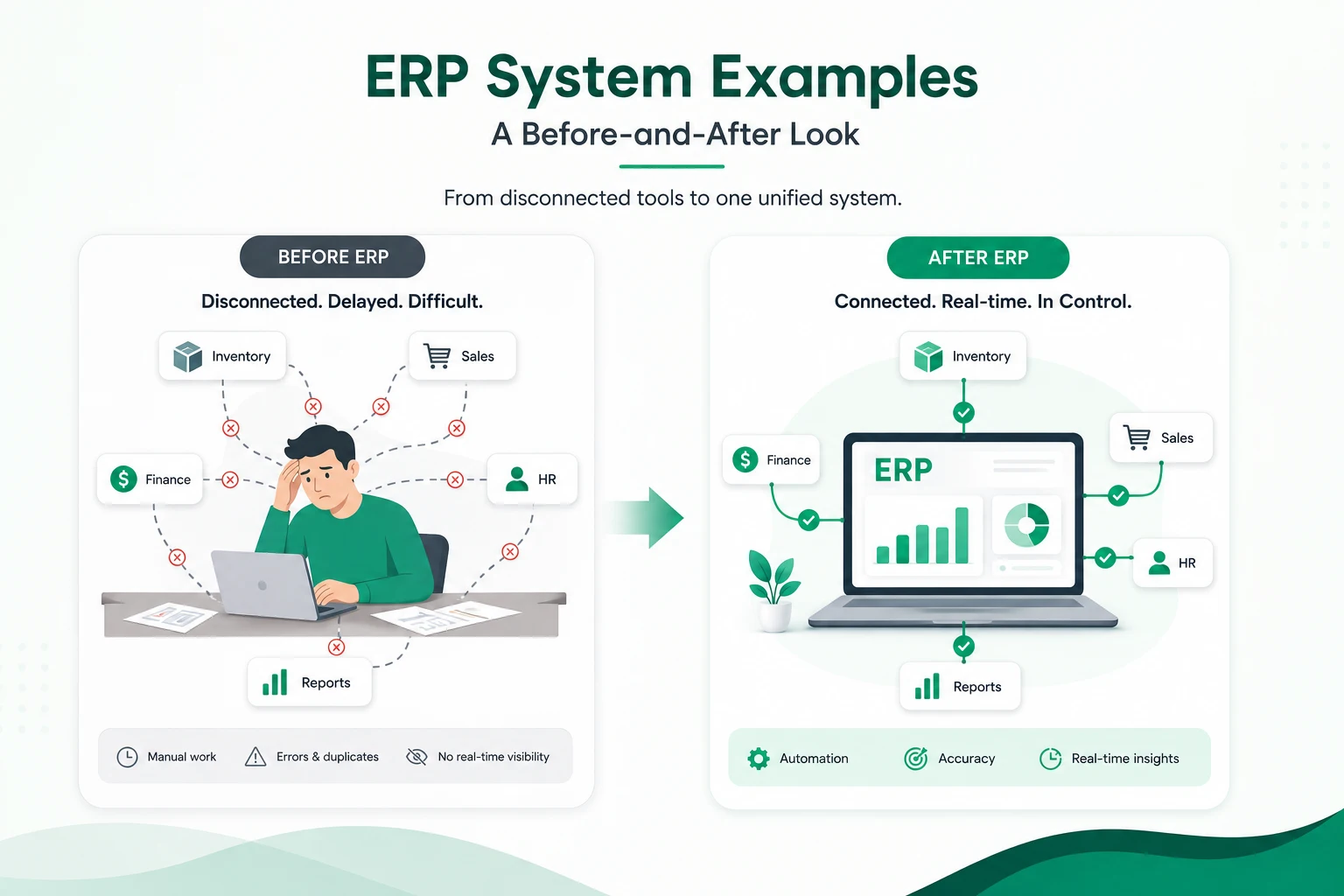
Picture a mid-sized retail chain. One team tracks stock in a spreadsheet. Another logs sales in a separate POS tool. Finance reconciles both manually every week.
Now picture the same business after adopting ERP. Stock counts update the moment a sale happens. Finance sees revenue in real time. No spreadsheet gymnastics required.
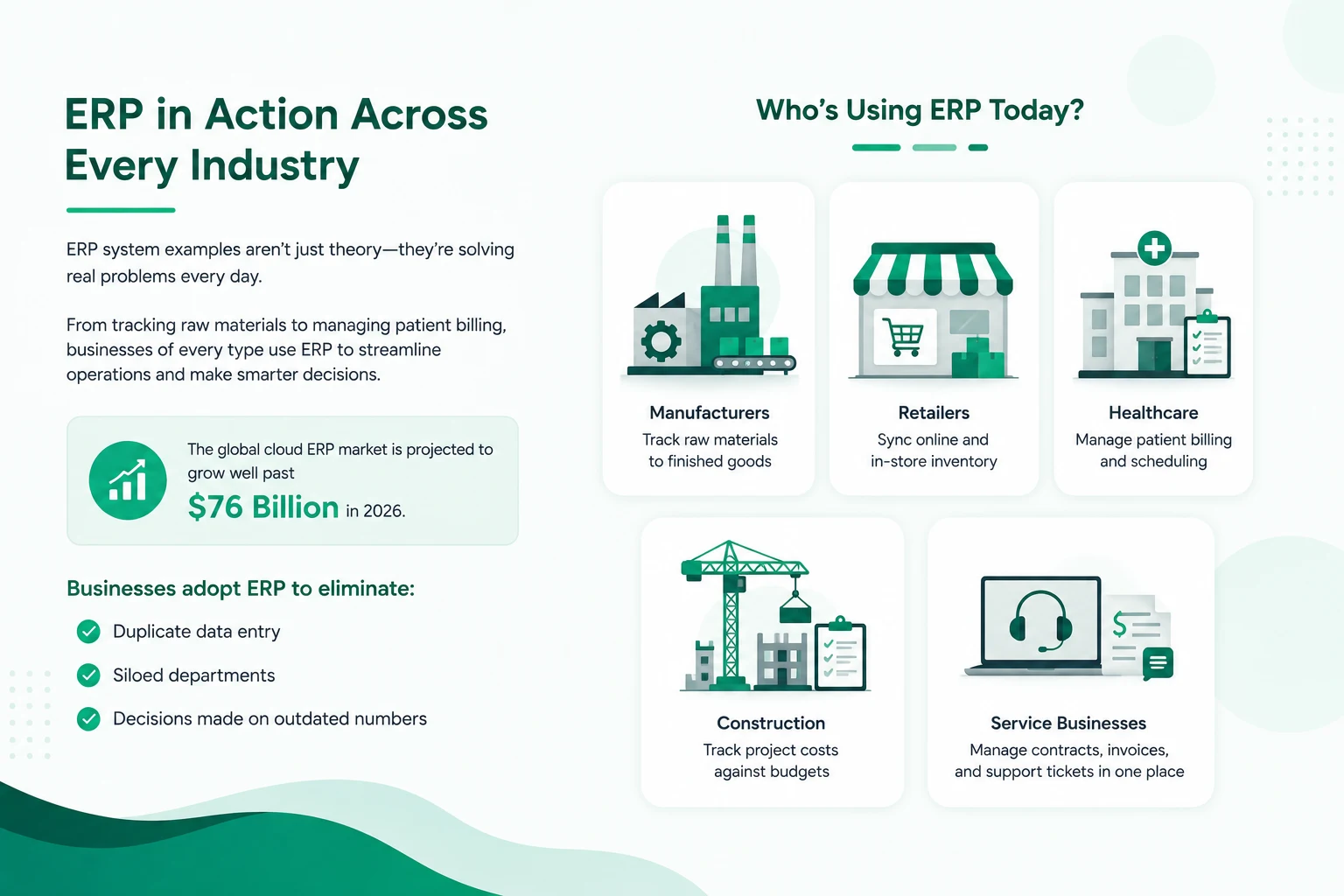
That gap between disconnected tools and one unified system is why ERP adoption keeps climbing. The global cloud ERP market is projected to grow well past $76 billion in 2026, and small and medium businesses now drive more than half of that growth.
The reason is simple. ERP system examples aren’t abstract theory anymore. They’re daily, practical fixes for problems every growing business runs into: duplicate data entry, siloed departments, and decisions made on outdated numbers.
Before comparing systems, it helps to see who’s actually running ERP software today:
- Manufacturers tracking raw materials through to finished goods
- Retailers syncing online and in-store inventory
- Healthcare administrators managing patient billing and scheduling
- Construction managers tracking project costs against budgets
- Service businesses managing contracts, invoices, and support tickets in one place
Each of these is a real ERP system example, and each one points to a different set of features a business should prioritize. These ERP systems examples span every department, but they share one common thread: fewer disconnected tools.
Popular ERP Systems in the Market
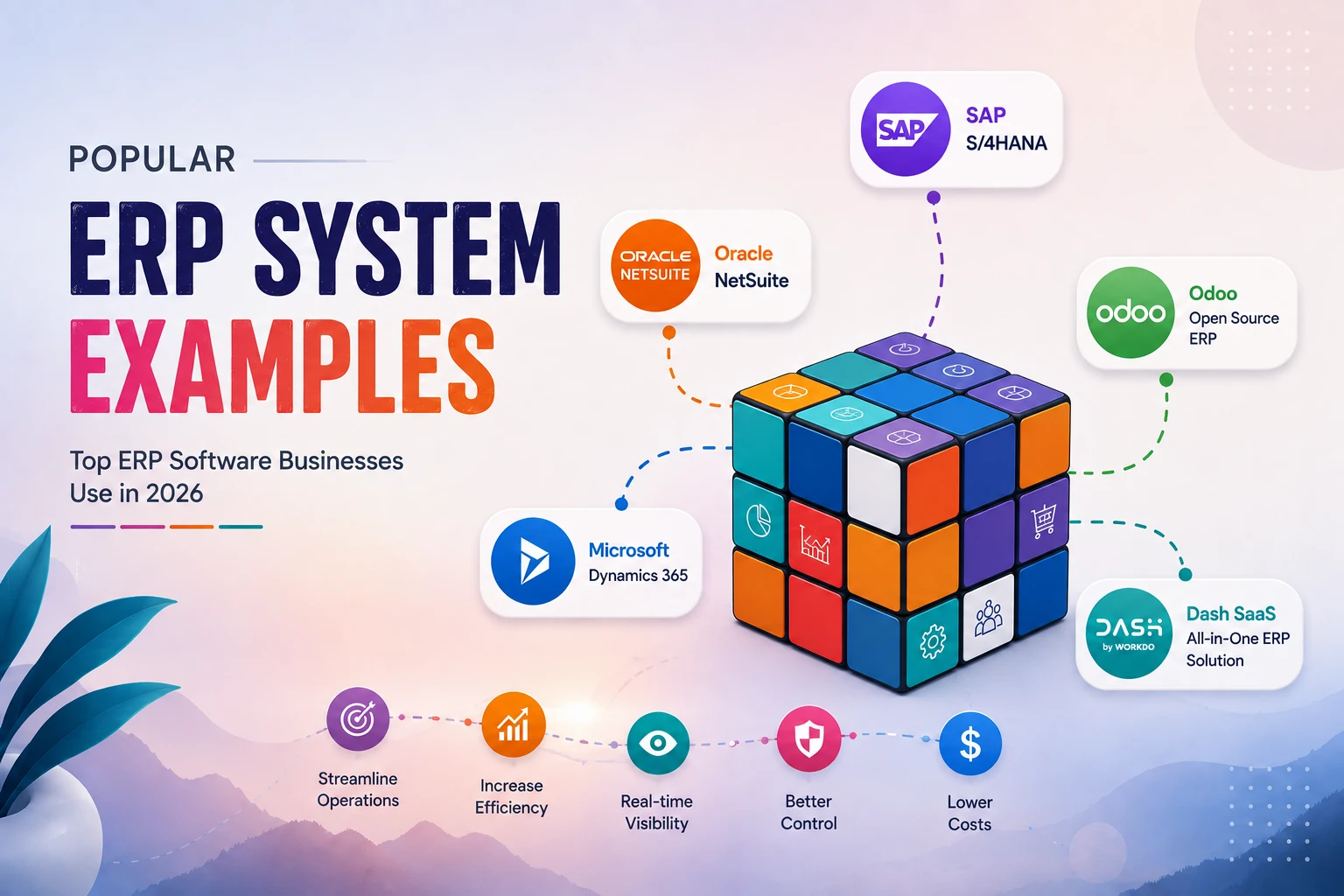
Not every ERP is built the same way, and not every business needs the same one. Looking at examples of ERP systems side by side makes the real differences far easier to see than reading spec sheets alone. Here’s a closer look at these examples of ERP software businesses will run in 2026, what each one does well, where it falls short, and how it actually stacks up against WorkDo’s Dash SaaS.
SAP S/4HANA
SAP S/4HANA is a classic enterprise resource planning system example built for large, complex manufacturers, and for good reason. It handles multi-GAAP financial consolidation across dozens of subsidiaries; deep manufacturing workflows like shop-floor MRP and quality checkpoints; and compliance reporting that global regulators expect from large organizations. If you’re running a 5,000-employee manufacturing group across 15 countries, S/4HANA’s depth is hard to match.
The tradeoff is cost and complexity. Implementation typically runs into six or seven figures once consulting, data migration, and training are factored in, and go-live can take six months to well over a year. You also don’t own the platform; it’s licensed, not purchased, and you’re locked into SAP’s pricing and upgrade cycle indefinitely.
Vs. Workdo’s Dash SaaS:
Dash SaaS focuses on what most growing businesses actually need—not complex enterprise manufacturing systems. It delivers essential business operations across CRM, HRM, Accounting, Inventory, and Support through an affordable one-time licensing model, giving you full source code access and the flexibility to make changes yourself.
Oracle NetSuite
NetSuite was cloud-native before “cloud-native” was a marketing term, and it shows in its financial management: multi-currency, multi-subsidiary consolidation, and revenue recognition that handles complex global structures well. Real-time dashboards give executives visibility without waiting on end-of-month reports, and the built-in SuiteCommerce module suits businesses with significant e-commerce volume.
The catch is pricing transparency. NetSuite’s published “from $1,000/month” base fee is just a starting point; most mid-market deployments cost significantly more once modules, users, and customization are added, and that cost recurs every single month, indefinitely.
Vs. Workdo’s Dash SaaS:
Where NetSuite charges monthly forever; Dash SaaS charges once. A business paying NetSuite’s $1,000+/month base fee spends more in year one alone than Dash SaaS costs to own outright forever, including full source code and white-label rights.
Microsoft Dynamics 365 Business Central
Business Central is the obvious pick for teams already living inside Outlook, Teams, and Excel, since it integrates natively with the Microsoft 365 stack and Power Platform, and now with Copilot for AI-assisted workflows. It suits companies with roughly 10–300 employees that want finance, sales, purchasing, and inventory in one place without leaving the Microsoft ecosystem.
Pricing runs $70–$100 per user per month for the Essentials or Premium tiers, which adds up quickly as headcount grows — a 20-person team lands at $1,400–$2,000/month before implementation costs.
Vs. Workdo’s Dash SaaS:
Dash SaaS has no per-user fee at all; one license covers your whole team regardless of headcount. If your business isn’t deeply tied to the Microsoft ecosystem specifically, that’s a meaningful saving with no functional tradeoff for core ERP modules.
Odoo
Odoo’s biggest strength is its modular, à la carte structure. You can start with just accounting or inventory and add CRM, manufacturing, or HR only as you grow, and the open-source Community edition offers a genuinely free starting point for very small teams. The interface is modern, and 70+ available modules cover nearly every business function.
The tradeoff shows up once you need real customization or multi-company support — those live behind Odoo’s paid Enterprise edition, priced per user per month ($7.25–$24.90/user depending on plan and billing cycle), and Odoo.sh hosting is billed separately on top.
Vs. Workdo’s Dash SaaS:
Both are open-source and modular, which makes this the closest comparison in the market. But Dash SaaS’s full source code is included in the base one-time price; there’s no separate Enterprise tier to unlock multi-company management and no recurring per-user cost once you’ve paid.
ERPNext
ERPNext is a solid open-source option for technically capable teams who want to self-host and modify the codebase directly. It covers standard ERP ground: accounting, inventory, HR, manufacturing, and its community edition is free to self-host.
Where it lags is polish and out-of-the-box Add-Ons. Extending ERPNext into industry-specific use cases (hospitality, clinics, real estate) usually means custom development, since it doesn’t have a large pre-built marketplace to pull from.
Vs. Workdo’s Dash SaaS:
Dash SaaS ships with 300+ pre-built Add-Ons, industry modules like hotel, clinic, and construction management, install in minutes rather than requiring a developer to build them from scratch, which is the main gap ERPNext leaves open.
Workdo’s Dash SaaS
WorkDo’s Dash SaaS takes a different approach from all five systems above. Instead of a recurring subscription or a locked enterprise license, it’s a one-time payment, open-source ERP built on Laravel and React, combining CRM, HRM, Accounting, POS, Inventory, Projects, Support, Sales, Finance, and Contracts in a single platform.
You get full, unencrypted source code; 100% white-label branding rights; and access to 300+ premium Add-Ons, for an affordable single-company license or an extended license that covers unlimited companies and commercial SaaS resale.
Here’s how these ERP system examples compare side by side:
| ERP System | Best For | Deployment | Pricing Model | Source Code Access |
|---|---|---|---|---|
| Workdo’s Dash SaaS | SMEs, agencies, SaaS resellers | Self-hosted | One-time affordable | Yes, full source code |
| SAP S/4HANA | Large enterprises, complex manufacturing | Cloud/On-prem | Custom quote (high) | No |
| Oracle NetSuite | Mid-market, multi-entity finance | Cloud only | Subscription (~$1,000+/mo) | No |
| Microsoft Dynamics 365 BC | Microsoft-native SMBs | Cloud | Per-user/month ($70-100) | No |
| Odoo | Startups, modular SMEs | Cloud/Self-hosted | Per-user/month + free tier | Enterprise edition only |
A few things stand out when you line these up. The traditional players, SAP, NetSuite, and Dynamics, charge recurring, per-user fees that scale with your headcount forever. Odoo softens that with a free tier, but full customization sits behind its paid edition.
WorkDo’s Dash SaaS breaks that pattern. You pay once, own the platform outright, and can white-label it as your own, which matters a lot if you’re an agency, consultant, or SaaS reseller who wants to resell ERP access to clients under your own brand rather than paying a vendor every month for the privilege.
To be fair, this isn’t a one-size-fits-all verdict. A multinational manufacturer running multi-GAAP consolidations across 40 countries still has good reasons to look at SAP or Oracle. But for the SME, startup, and agency segment, where budget predictability and ownership matter more than enterprise-scale complexity, Dash SaaS’s one-time pricing and 300+ Add-On ecosystem make it one of the most practical ERP system examples on the market right now.
Industry-Wise ERP Examples
Different industries lean on ERP for different reasons. Here’s what that looks like in practice.
Manufacturing
Manufacturers live and die by material flow. A single missing part can stall an entire production line.
ERP gives manufacturers a live view of:
- Raw material stock across multiple warehouses
- Work orders and production schedules
- Bill of materials (BOM) tracking from component to finished product
- Quality control checkpoints at each production stage
Real-world example: A furniture manufacturer uses ERP to track lumber inventory in real time. When stock for a specific wood type dips below a threshold, the system automatically triggers a purchase order; no manual stock check needed. That single automation can prevent a production line from sitting idle for days.
When comparing examples of an ERP system for a shop floor, material tracking is usually the first feature to check.
Retail
Retail runs on two things: what’s in stock and what’s selling. ERP connects both.
Common retail ERP examples include:
- Unified inventory across online store and physical locations
- POS integration so every sale updates stock instantly
- Customer purchase history feeding into targeted promotions
- Automated reordering based on sales velocity
Real-world example: A retail chain with five physical stores and one online shop uses ERP’s POS and inventory modules together. When a product sells out in-store, the system instantly reflects that online: no overselling, no refund headaches, no angry customers.
Healthcare
Healthcare administrators juggle patient records, billing, staff schedules, and compliance, often across multiple departments that don’t naturally share data.
ERP examples in healthcare typically cover:
- Patient billing and insurance claim tracking
- Staff scheduling across shifts and departments
- Inventory management for medical supplies and equipment
- Compliance documentation stored centrally for audits
Real-world example: A multi-location clinic uses ERP to manage supply inventory across every branch from one dashboard. When one location runs low on a specific medical supply, admin staff can transfer stock from another branch instead of placing a rushed, costly emergency order.
(Construction and service-based businesses face similar coordination challenges, project costing, contracts, and scheduling work the same way once ERP is in place.)
How Businesses Use ERP Systems
Zoom out from individual industries, and these examples of ERP show the same patterns repeating across almost every business running ERP software:
- Finance teams close the books faster because accounting, invoicing, and expense data live in one place instead of three
- HR managers run payroll and track attendance without exporting spreadsheets between systems
- Sales and CRM teams see the same customer record as support, so nobody repeats a conversation the customer already had
- Operations managers get real-time dashboards instead of end-of-week reports
- Project managers track budgets, tasks, and milestones against actual spend, not estimates
The common thread: ERP replaces disconnected tools with one shared source of truth. That’s what every real ERP system example in this guide has in common: fewer handoffs, fewer errors, and faster decisions.
ERP Software in Daily Operations
Strategy aside, here’s what an ERP system actually looks like on a Tuesday morning.
- Morning check-in. An operations manager opens a single dashboard and sees yesterday’s sales, current stock levels, and any support tickets flagged overnight, instead of checking four different logins.
- A sale happens. POS records the transaction, inventory updates automatically, and accounting logs the revenue all from one action.
- A customer complaint comes in. Support pulls up the customer’s order history and CRM notes in the same screen, without pinging three other departments.
- Payroll day. HR runs attendance and payroll together, since both modules already share employee data.
- End of month. Finance pulls a report from Accounting, Sales, and Inventory modules combined, no manual exports, no version-control chaos over whose spreadsheet is correct.
Summary of ERP Examples
ERP systems are no longer just tools for large enterprises with complex operations. Today, businesses of all sizes use ERP platforms to connect departments, automate repetitive tasks, and make faster decisions using accurate, real-time data. These enterprise resource planning software examples prove ERP isn’t reserved for large enterprises anymore.
Whether it’s a manufacturer managing production, a retailer syncing inventory, a healthcare provider coordinating resources, or a service company tracking customers and projects, the right ERP system removes operational gaps and creates a single source of truth. While enterprise platforms like SAP, Oracle NetSuite, and Microsoft Dynamics 365 remain strong choices for large organizations with advanced requirements, growing businesses increasingly look for solutions that offer flexibility, affordability, and ownership.
Choosing between these examples of enterprise resource planning software ultimately comes down to business size, industry needs, budget, and long-term goals. The best ERP system is the one that simplifies daily operations, scales with growth, and helps teams focus less on managing software and more on running the business.
 Frequently Asked Questions (FAQs)
We're Here to Help - Let's Talk
Have questions about our solutions, customization services, or business tools? Our team is here to help you. let's talk.