

Types of ERP Systems Explained: Complete Guide for Businesses
Discover the types of ERP systems, their benefits, deployment models, and how to choose the right ERP for your business.

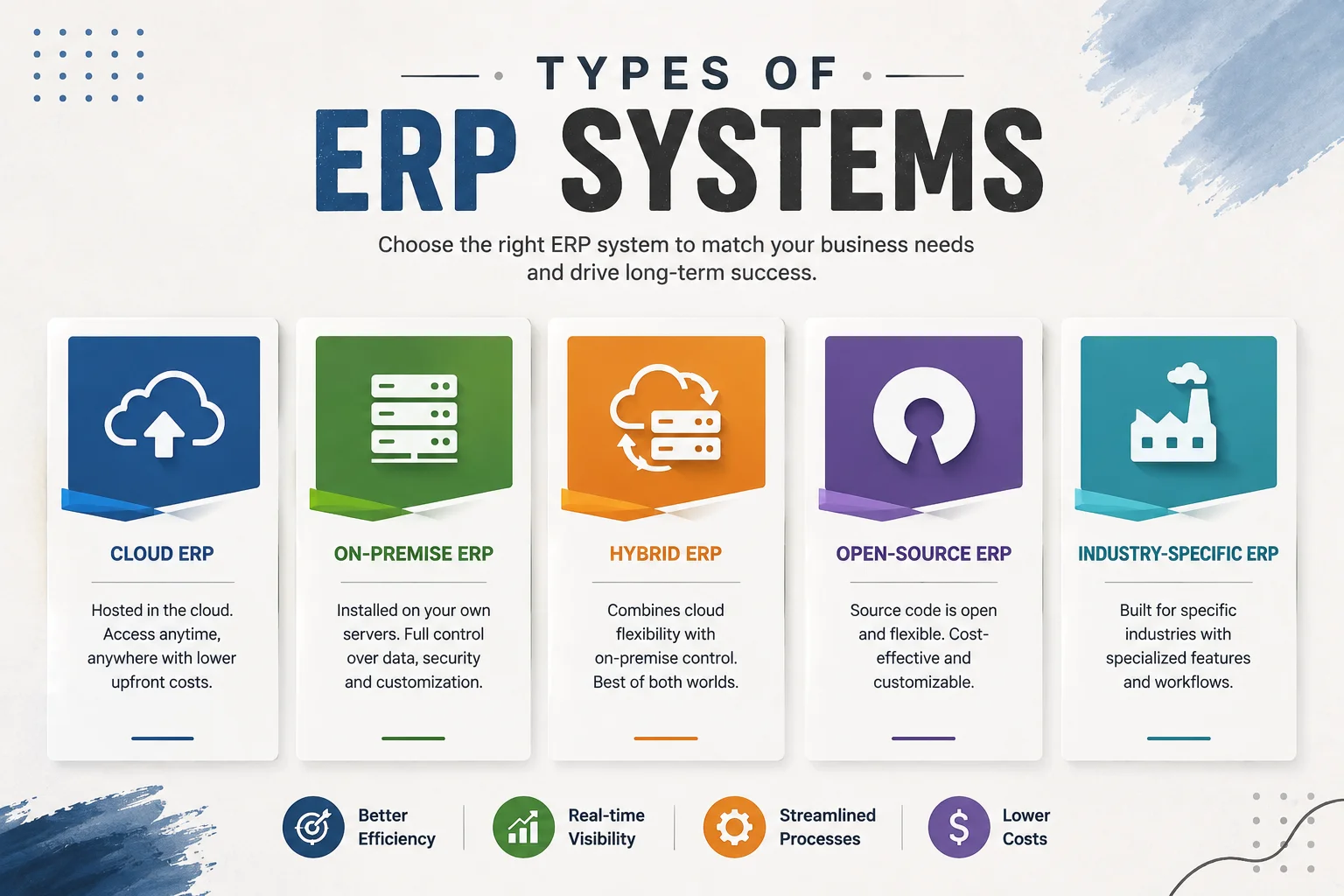
Types of ERP Systems Explained
Here’s a mistake we see businesses make all the time: they spend weeks comparing ERP features, dashboards, reports, and integrations and only five minutes thinking about how the system is actually deployed.
Then reality hits. The “perfect” ERP needs a server room that they don’t have. Or a monthly subscription that triples once the team grows. Or an IT skillset nobody on the payroll possesses.
That’s why understanding the types of ERP systems matters more than any feature list. The deployment model you choose decides your costs, your data control, your upgrade cycle, and how fast your team can actually start working.
In this guide, we’ll break down every major ERP type: cloud, on-premise, hybrid, open-source, and industry-specific, with honest pros, cons, and real scenarios so you can pick the right fit the first time.
Quick answer: enterprise resource planning systems are classified in three ways: by deployment (cloud, on-premise, hybrid), by licensing (proprietary vs. open-source), and by scope (generalist vs. industry-specific). Most growing businesses today choose cloud or open-source ERP for lower upfront costs and faster setup.
(New to ERP? Start with our foundational guide on how ERP systems work — it explains the centralized database and module structure this article builds on.)
How ERP Systems Are Classified
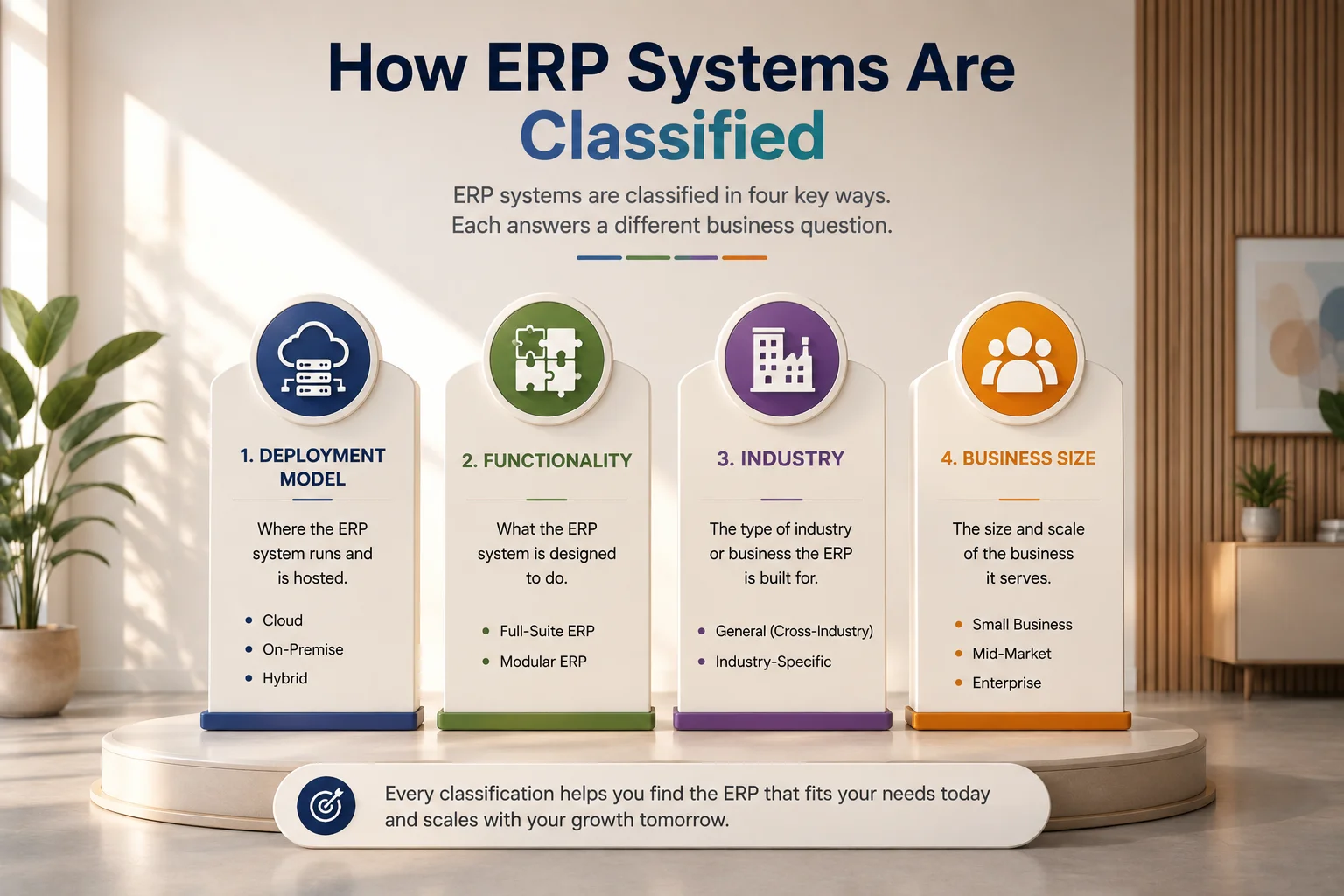
ERP systems are not a single product category. They are classified in four different ways, and every ERP buying conversation typically touches all four. These classifications include the deployment model, which refers to where the software runs (cloud, on-premises, or hybrid); functionality, which focuses on what the system actually does (full-suite or modular); industry, which distinguishes between generic ERP and software built for a specific vertical; and business size, which categorizes ERP solutions for small businesses, mid-market organizations, or enterprise-level companies.
Most articles discuss only the deployment model, but that approach misses how ERP purchasing decisions are actually made. In practice, deployment is usually the last question you answer, not the first. Organizations first determine the functions they need and the requirements of their industry before deciding where the ERP system should run.
Let’s go through each classification the way an implementation consultant actually would.
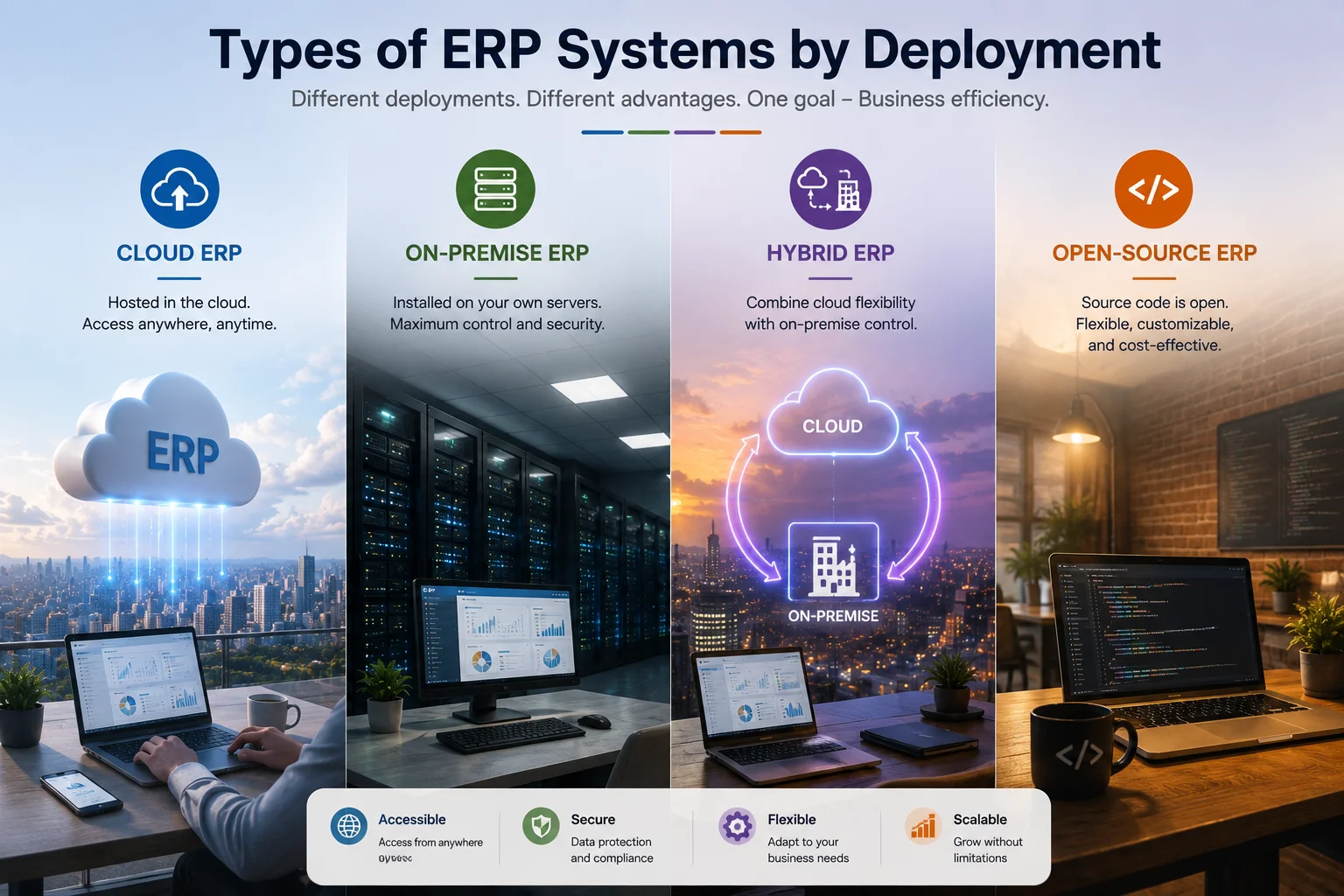
Types of ERP Systems by Deployment
1. Cloud ERP (SaaS ERP)
Cloud ERP runs on the vendor’s servers, and you access it through a browser. No installation, no server hardware, no manual updates. You pay a monthly or annual subscription, usually per user.
This is where the market is heading. Industry research consistently shows the majority of new ERP implementations are now cloud-based, driven by remote work and lower entry costs.
How it looks in practice: Your sales team logs invoices from the field. Your accountant reconciles books from home. The vendor pushes updates overnight. Nobody in your office ever touches a server.
Best for: Startups, SMEs, distributed teams, and any business without a dedicated IT department.
Pros:
- Low upfront cost: no hardware, no installation project
- Fast go-live: days or weeks instead of months
- Automatic updates and security patches
- Access from anywhere, on any device
- Scales up (or down) with your team size
Cons:
- Subscription costs compound: per-user pricing gets expensive as you grow
- Less control over your data: it lives on someone else’s servers
- Customization is limited to what the vendor allows
- You depend on internet connectivity and vendor uptime
Where it fails: A 15-person startup pays a comfortable subscription. Three years later, at 80 users, that same “affordable” cloud ERP costs more per year than a one-time license would have cost in total. Per-user SaaS pricing is a slow leak, always model costs at your future headcount, not your current one.
2. On-Premise ERP
On-premise ERP is installed on your own servers, inside your own building or private data center. You buy a license once, and your IT team manages everything: hosting, security, backups, and updates.
How it looks in practice: A manufacturer with 200 employees runs its ERP on two servers in a locked room. IT schedules updates during factory downtime. Sensitive production data never leaves the building.
Best for: Large enterprises, regulated industries (healthcare, finance, and defense), and companies with strict data residency rules.
Pros:
- Full control over data, security, and infrastructure
- One-time license cost: no recurring per-user fees
- Deep customization at the code and database level
- Works even when the internet doesn’t
Cons:
- High upfront investment: servers, licenses, implementation consultants
- Requires an in-house IT team for maintenance
- Updates are manual, slow, and often postponed for years
- Remote access needs extra setup (VPNs, security layers)
Where it fails: The classic on-premise trap is version lock-in. A company skips upgrades for five years because “everything works.” Then a compliance change forces an update, and the migration costs more than the original implementation. On-premise only works if you commit to maintaining it.
3. Hybrid ERP
Hybrid ERP (sometimes called two-tier ERP) mixes both models. Core, sensitive operations stay on-premise while newer modules: CRM, HR, e-commerce, run in the cloud.
How it looks in practice: A hospital keeps patient billing and records on local servers to satisfy privacy regulations but runs HR, recruitment, and inventory in the cloud so staff can work from any ward or branch.
Best for: Enterprises moving to the cloud gradually, multi-location businesses, and regulated organizations that can’t shift everything off-site.
Pros:
- Compliance-friendly: sensitive data stays local
- Modernize step by step instead of a risky “big bang” migration
- Branches and remote staff get cloud convenience
Cons:
- Two systems to integrate and maintain: complexity doubles
- Data syncing between cloud and local modules can break
- Usually, the most expensive model overall
Where it fails: Hybrid setups live or die on integration quality. If the sync between your on-premise finance module and cloud CRM lags or drops records, you end up with two versions of the truth, the exact problem ERP was supposed to solve.
4. Proprietary ERP
The vendor owns the source code. You pay for the right to use it, a perpetual license (common with on-premise) or a subscription (common with cloud). Think SAP, Oracle NetSuite, and Microsoft Dynamics 365.
You get polish, support contracts, and a large partner ecosystem. What you don’t get is freedom: you can’t inspect the code, you can’t self-host most SaaS versions, and switching vendors later usually means a painful data migration.
5. Open-Source ERP
Open-source ERP gives you the actual source code. You can inspect it, modify it, host it yourself, and even rebrand it. Popular examples include Odoo, ERPNext, and Workdo’s Dash SaaS.
This model has quietly become the smartest middle path for SMEs. You get cloud-style flexibility and on-premise-style ownership, without the enterprise price tag.
How it looks in practice: An agency buys an open-source ERP for a one-time payment, hosts it on a $20/month cloud server, customizes invoice templates to match its brand, and never pays a per-user fee again. Ten users or a hundred, the cost stays flat.
Pros:
- One-time cost instead of endless subscriptions
- Full code access: customize anything
- Host it wherever you want: your server, any cloud
- White-label options: rebrand or resell it
- No vendor lock-in
Cons:
- You (or a developer) handle hosting and updates
- Support depends on documentation and community quality
- Quality varies wildly between projects; vet carefully
Where it fails: Open-source ERP goes wrong when a business installs it and treats it like SaaS, expecting automatic updates and hand-holding support. It rewards teams with even basic technical capability (or a freelance developer on call). If you have zero technical resources and no budget for one, pure SaaS may fit better.
Types of ERP Systems by Business Scope
Built to serve any industry with standard modules: accounting, CRM, HRM, inventory, projects, and POS. Most cloud and open-source ERPs live here. They’re flexible, affordable, and cover 80–90% of what a typical business needs out of the box.
Industry-Specific ERP
Generic ERP assumes every business works roughly the same way. Industry-specific ERP knows it doesn’t.
| Industry | What the ERP must handle differently |
|---|---|
| Manufacturing | Bill of materials, production scheduling, shop-floor tracking, machine maintenance |
| Retail & eCommerce | POS integration, multi-channel inventory sync, barcode workflows, seasonal demand |
| Healthcare | Patient scheduling, compliance (HIPAA and regional equivalents), equipment tracking |
| Construction | Project-based costing, subcontractor management, progress billing, equipment logistics |
| Services & Agencies | Time tracking, project profitability, retainer billing, resource allocation |
The practical question: do you buy a vertical ERP, or a flexible general ERP configured for your industry?
Vertical ERPs win when your industry has hard regulatory requirements baked into daily workflows. Flexible modular ERPs win when your needs are industry-flavored rather than industry-locked. A retail business, for instance, often does better with a general ERP that has strong POS and inventory modules than with a rigid retail-only system it will outgrow.
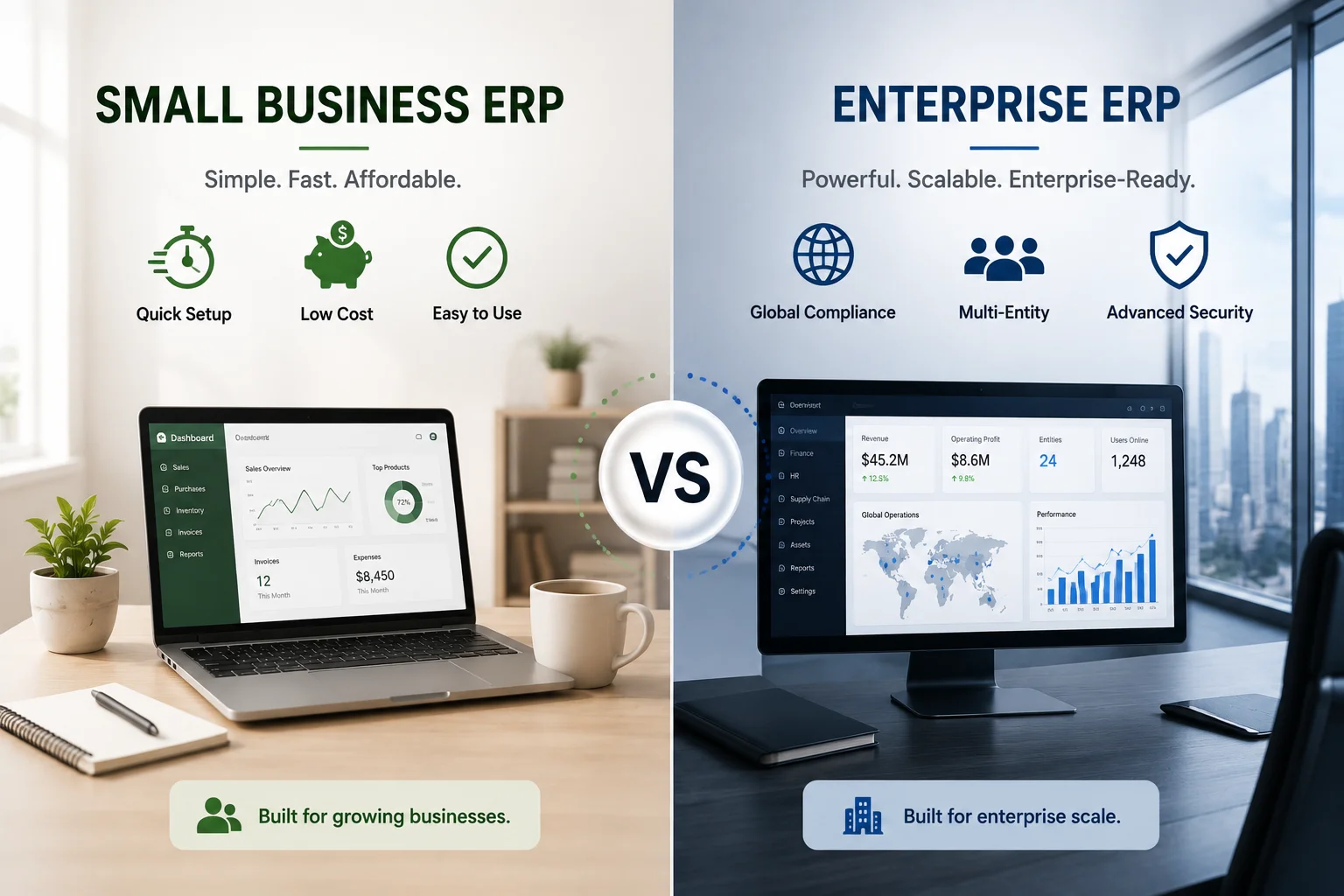
Small Business ERP vs. Enterprise ERP
- Small business ERP prioritizes simplicity, fast setup, low cost, lightweight modules, and minimal training.
- Enterprise ERP prioritizes scale, multi-entity accounting, global compliance, and thousands of concurrent users and demands months of consultant-led implementation.
The mistake to avoid? Buying an enterprise ERP “to grow into”. Oversized systems slow small teams down and drain budgets. Buy for the next 2–3 years, not the next 15, and choose something modular so you can expand later.
(Curious how specific platforms stack up?) See our detailed breakdown of popular ERP system examples covering SAP, NetSuite, Odoo, and more.
ERP Types Compared: Quick Reference Table
Before comparing vendors, it helps to know the different types of enterprise resource planning available, since deployment, licensing, and scope all shape which vendor actually fits. The table below breaks down these ERP software types side by side, so you can compare them at a glance.
| Type | Upfront Cost | Ongoing Cost | Data Control | Setup Speed | Best For |
|---|---|---|---|---|---|
| Cloud ERP | Low | Medium–High (per user) | Vendor-controlled | Days | Startups, SMEs, remote teams |
| On-Premise ERP | High | Low–Medium (IT staff) | Full | Months | Enterprises, regulated industries |
| Hybrid ERP | High | High | Partial | Months | Transitioning enterprises |
| Open-Source ERP | Low (one-time) | Very Low | Full | Days–Weeks | Cost-conscious SMEs, agencies |
| Industry-Specific ERP | Medium–High | Medium–High | Varies | Weeks–Months | Vertical-heavy businesses |
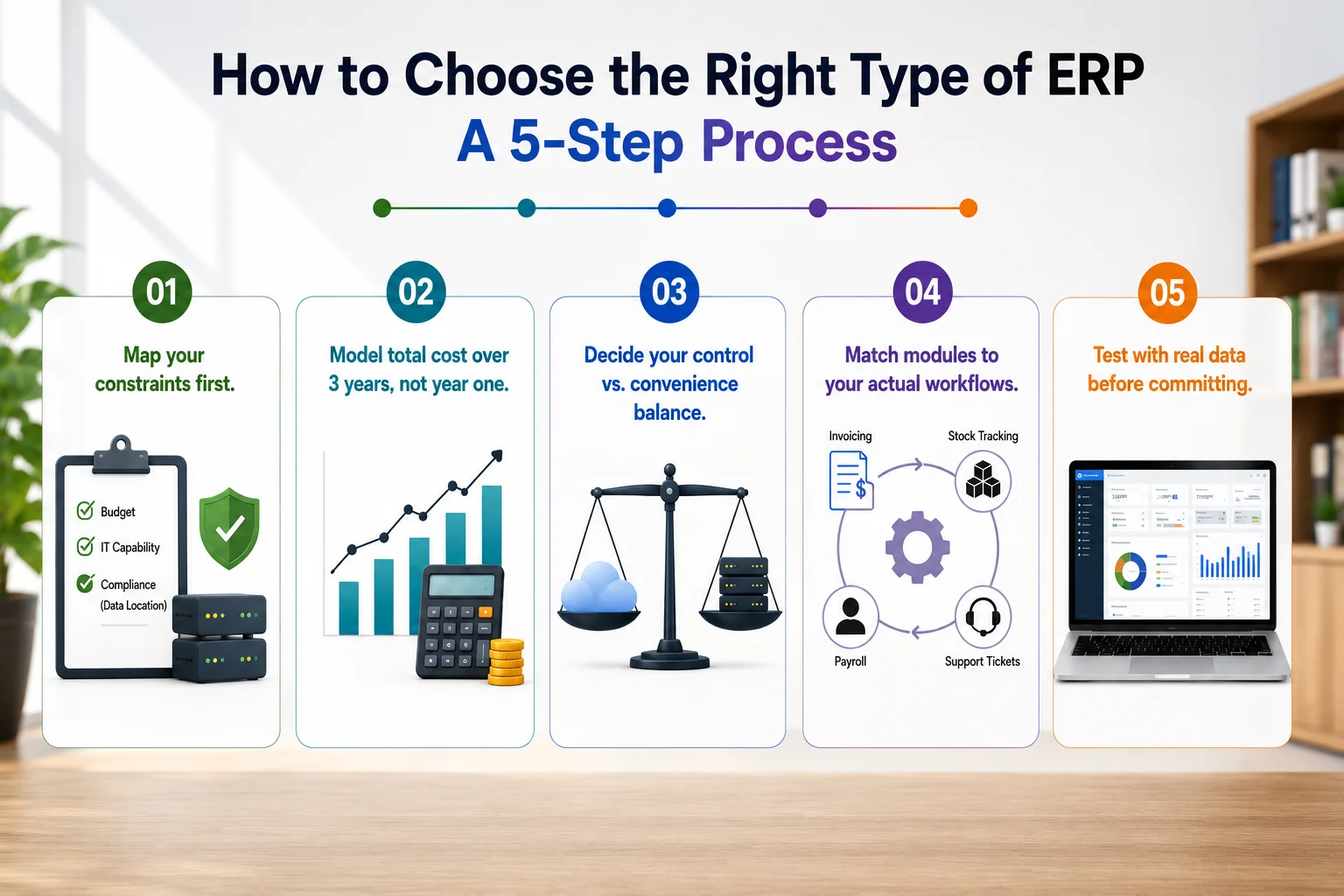
How to Choose the Right Type of ERP: A 5-Step Process
Follow these steps in order; most bad ERP decisions come from starting at step 4.
- Map your constraints first. Budget ceiling, internal IT capability, and any compliance rules about where data must live. These three factors instantly eliminate half your options.
- Model total cost over 3 years, not year one. Multiply subscription costs by your projected headcount. Compare that against one-time license options. The cheapest year-one choice is rarely the cheapest by year three.
- Decide your control vs. convenience balance. Zero maintenance? Cloud SaaS. Full ownership and flat costs? Open-source or on-premise. Both? Hybrid, but budget for the integration overhead.
- Match modules to your actual workflows. List your 5 most painful daily processes (invoicing, stock tracking, payroll, and support tickets). A qualifying ERP must handle all five without custom development.
- Test with real data before committing. Run a demo with your actual products, your actual invoice format, and your actual team. Feature lists lie; hands-on trials don’t.
Where Workdo’s Dash SaaS Fits Among ERP Types
If you’ve read this far, you’ve probably spotted the pattern: the ideal system for most SMEs combines cloud accessibility, open-source ownership, and modular flexibility. That combination is exactly what Workdo’s Dash SaaS was built around.
Here’s how it maps to the ERP types above:
- Deployment: Host it on any cloud server or your own infrastructure; you decide where your data lives
- Licensing: Open-source with a cost-effective one-time license model, keeping your expenses predictable with no per-user subscriptions.
- Scope: Generalist core (CRM, HRM, Accounting, POS, Inventory, Projects, Helpdesk) with 300+ Add-Ons to go industry-specific whenever you need
- Structure: white-label; run multiple businesses or client accounts from one installation.
Built on Laravel + React with AI-powered features, it’s designed for exactly the growth path from the retail scenario above: start lean, add modules as you scale, and never renegotiate a per-user contract. The step-by-step user manual walks you through setup even if you’re not deeply technical.
Real Scenario: One Business, Three Different Right Answers
Picture a retail business at three stages of growth:
- Stage 1 (2 stores, 8 staff): A cloud or open-source ERP with POS and inventory modules. Set up in a week. No IT hires needed.
- Stage 2 (12 stores, 90 staff): Per-user SaaS pricing now stings. The business self-hosts an open-source ERP, costs flatten, and it adds HR and payroll modules.
- Stage 3 (60 stores, 800 staff, entering regulated markets): A hybrid setup, finance data on private infrastructure for compliance, everything else in the cloud.
The lesson? There’s no permanently “best” ERP type. There’s only the best type for your current stage, which is why modular, flexible systems age better than rigid ones.
Final Takeaway: Match the Type Before You Pick the Tool
The types of ERP systems, cloud, on-premise, hybrid, modular, industry-specific, and size-tiered, aren’t just categories on a comparison chart. Each one represents a different answer to the same question: how much control do you want, and how much complexity can you handle?
Get the type right, and vendor selection becomes easy. Get it wrong, and no vendor can save the project.
If you’re looking for a system that skips the cloud-vs-owned trade-off entirely, take a look at Workdo’s Dash SaaS — open-source, modular, and yours with a single one-time payment. Explore the modules, browse the Add-Ons, and see whether it fits the way your business actually runs.
 Frequently Asked Questions (FAQs)
We're Here to Help - Let's Talk
Have questions about our solutions, customization services, or business tools? Our team is here to help you. let's talk.