
Business Management Software: The Complete 2026 Guide to Features, Costs, and Platform
Explore business management software to simplify operations, improve efficiency, and support business growth.

Introduction
Running a business today means managing customers, employees, finances, projects, inventory, and support — often across half a dozen different tools that don’t talk to each other.
The result is familiar: duplicate data entry, information scattered across systems, reports that take hours to assemble, and decisions made on numbers nobody fully trusts.
Business management software solves this by bringing all these functions into one connected platform. Instead of switching between apps and reconciling spreadsheets, your team works from a single, shared source of information — where updating a record in one place updates it everywhere.
In this guide, you’ll learn what business management software is and how it works, the core features worth paying for, the benefits businesses actually see, the leading platforms available in 2026, and a practical framework for choosing the right one for your company size and budget.
What Is Business Management Software?
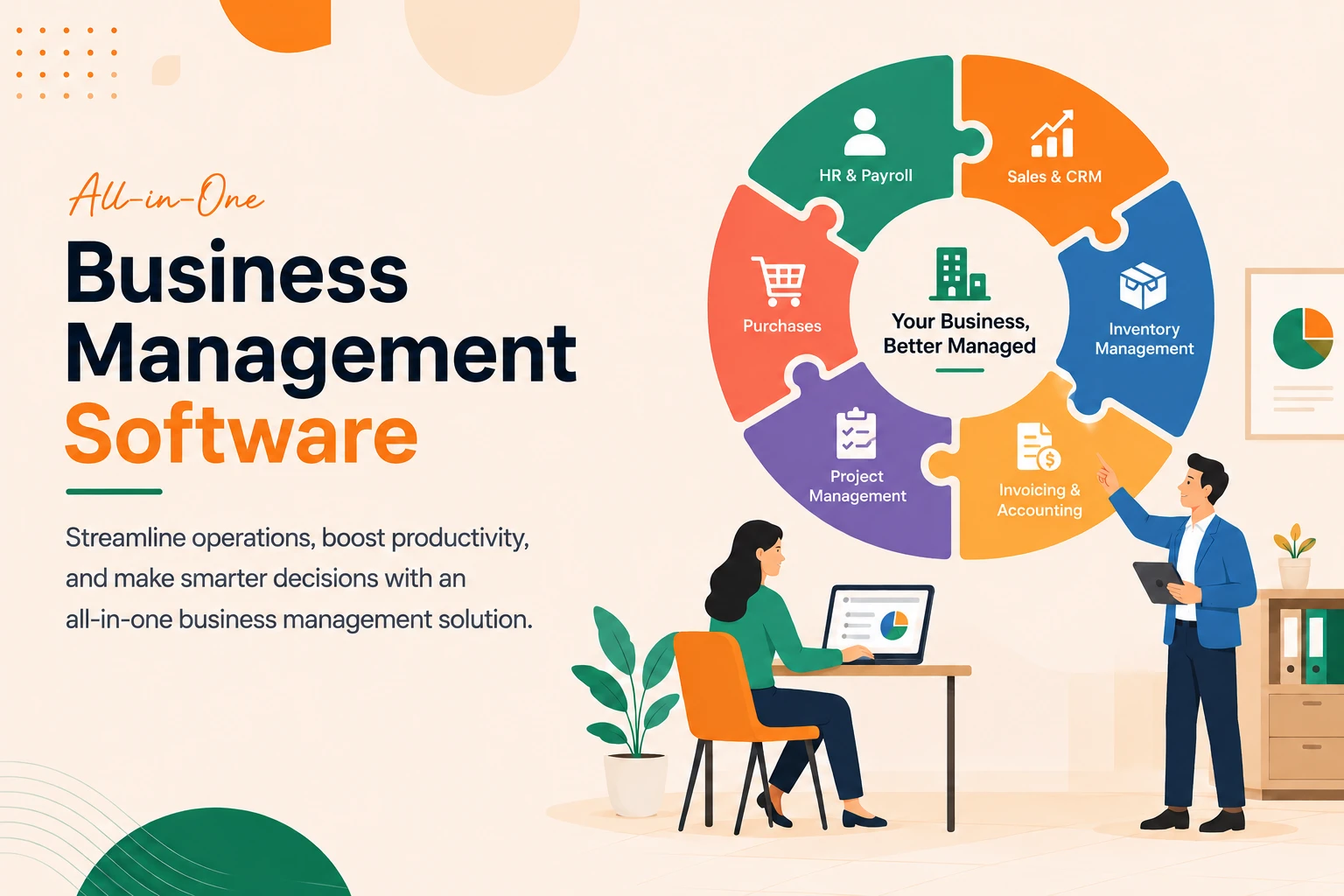
Business management software is an integrated digital platform designed to help organizations manage daily operations from a centralized system. Instead of using separate applications for customer management, project tracking, finance, human resources, inventory, communication, and reporting, businesses can coordinate these functions within a single solution.
Its primary objective is to simplify complex workflows while improving visibility across the organization.
A typical business management platform helps companies:
- Organize projects and tasks
- Manage customer relationships
- Track sales pipelines
- Automate recurring workflows
- Handle invoicing and expenses
- Monitor employee performance
- Generate business reports
- Improve collaboration
- Store important documents securely
- Track business growth using analytics
Rather than acting as a single-purpose application, modern business management software serves as the operational backbone of an organization.
How Business Management Software Works
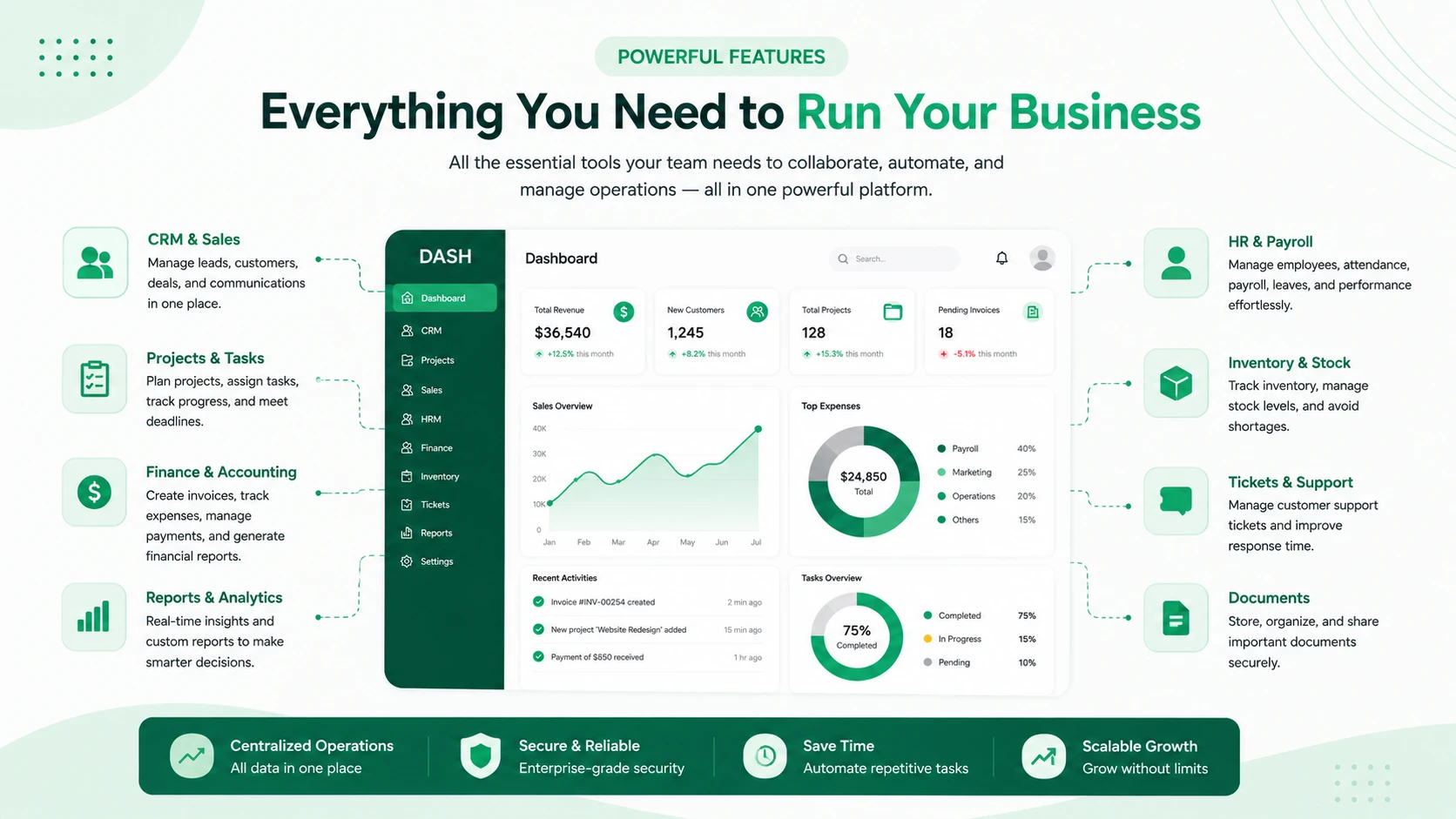
Most platforms operate through a centralized dashboard where different departments can access the tools relevant to their responsibilities.
For example:
- Sales teams manage leads and customers.
- Marketing teams track campaigns.
- HR manages employees and attendance.
- Finance oversees invoices and payments.
- Project managers assign work and monitor deadlines.
- Leadership reviews performance dashboards and business reports.
Since all information is stored within one ecosystem, departments work from the same data instead of maintaining separate spreadsheets or disconnected systems.
This reduces errors while improving communication across the business.
Why Businesses Need Business Management Software
As businesses grow, operations naturally become more complex.
More employees, customers, vendors, projects, invoices, and communications create additional administrative work. Without an integrated system, teams often rely on multiple disconnected applications, leading to inefficiencies that slow growth.
Common challenges businesses face include:
- Information scattered across different tools
- Duplicate data entry
- Poor communication between departments
- Missed deadlines
- Lost customer information
- Manual reporting
- Difficult project tracking
- Limited visibility into business performance
Business management software solves these problems by centralizing operations into one platform.
Instead of spending valuable time updating spreadsheets or switching between multiple applications, employees can focus on higher-value work.
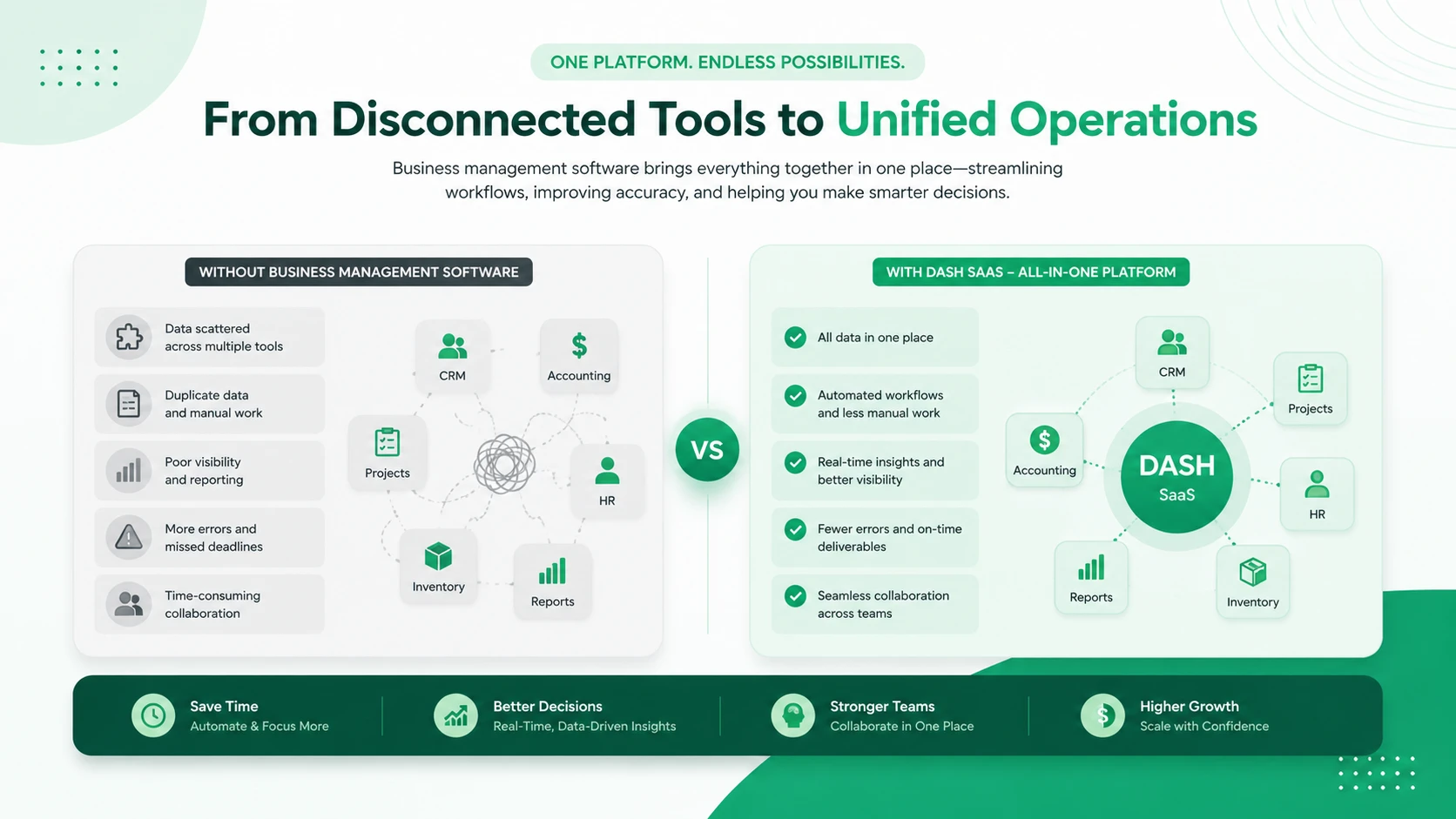
Example:
| Without Business Management Software | With an Integrated Business Management Platform |
|---|---|
| CRM managed in one tool | Shared customer database across teams |
| Accounting handled in another system | Unified financial and business reporting |
| HR processes managed through spreadsheets | Centralized employee and HR management |
| Projects tracked in separate software | Integrated project and task management |
| Support tickets handled elsewhere | Connected customer support workflows |
| Result: Duplicate work | Benefit: Automated workflows |
| Result: Communication gaps | Benefit: Better team collaboration |
| Result: Data inconsistencies | Benefit: Accurate, centralized data |
| Result: Slow decision-making | Benefit: Faster, data-driven business decisions |
Seven Signs Your Company Has Outgrown Its Current Stack
Most businesses don’t decide to buy business management software. They accumulate enough pain that the decision makes itself. Here’s what that pain looks like:
- Someone’s job is copying data between systems. If a person’s week includes exporting from one tool to import into another, you’re paying a salary to do integration work.
- Month-end close takes more than five days. Long closes usually mean reconciliation across disconnected ledgers, not slow accountants.
- Two departments quote different numbers in the same meeting. Sales says 40 deals closed. Finance says 34. Both are reading their own system correctly.
- You can’t answer profitability questions by customer, project, or product without a manual build.
- Onboarding a new hire means provisioning nine accounts and explaining which tool is the “real” one for each task.
- Your integrations break. A vendor changes an API, a Zap silently fails, and nobody notices for three weeks.
- Software spend keeps climbing but nobody can say what you own. Zylo’s benchmarking put average SaaS spend at roughly $4,830 per employee in 2025, up nearly 22% year over year — and a sizeable share of those licenses go unused.
Two or three of these is normal friction. Five or more is a structural problem that no amount of process discipline will fix.
Core Features of a Complete Business Management System
Feature checklists are easy to write and nearly useless, because every vendor claims every box. What follows is the checklist plus what “good” actually looks like for each — the distinction that separates a real platform from a demo.
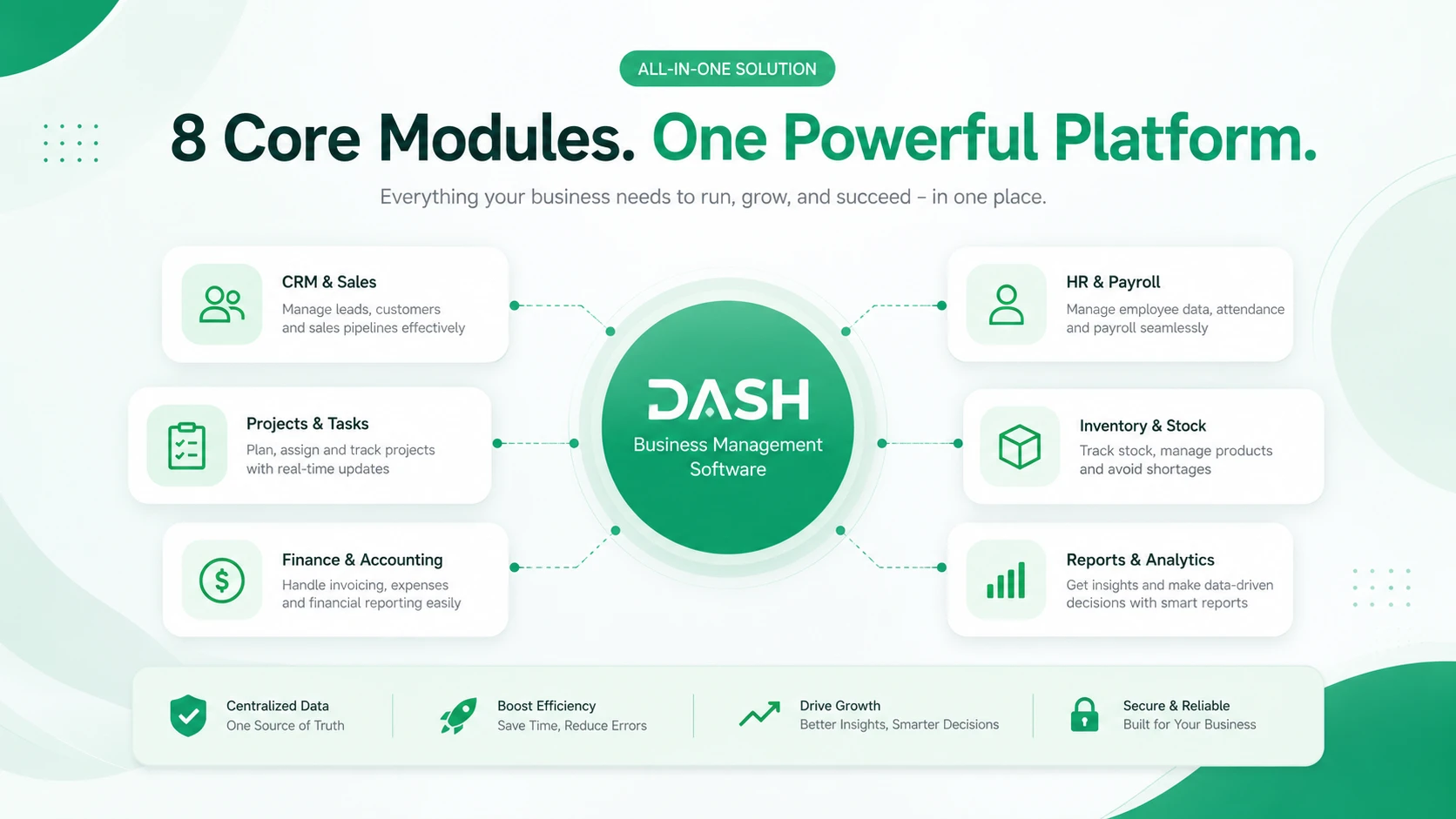
1. CRM and Customer Relationship Management
Table stakes: contacts, companies, deal pipeline, activity logging. Good looks like: the customer record is the same object finance invoices and support ticks tickets against. No duplicate customer lists.
2. Accounting and Finance
Table stakes: invoicing, expenses, bank reconciliation, basic reports. Good looks like: proper double-entry bookkeeping with journals and ledgers, multi-currency, tax compliance for your jurisdiction (VAT, GST, e-invoicing mandates), and recurring billing that doesn’t need a human to trigger it. If finance is your main pain point, a dedicated accounting and billing platform may be the right starting module.
3. HR and Employee Management
Table stakes: employee directory, leave requests, attendance. Good looks like: the full lifecycle — recruitment, onboarding, timesheets, shift rotas, performance reviews, payroll — with an employee self-service portal so HR isn’t fielding “how many leave days do I have left” over chat. Purpose-built HR and payroll management software handles this end to end.
4. Sales and Purchase Management
Table stakes: quotes and orders. Good looks like: quote → sales order → delivery → invoice as one continuous chain, with purchase orders and supplier records on the other side, and margin visible at every step. Teams that live in the pipeline often start with a focused sales management system.
5. Inventory and Operations
Table stakes: stock counts. Good looks like: multi-warehouse, real-time deduction on sale, reorder points, batch/serial tracking if you need it, and stock that reconciles automatically against purchases and returns — the kind of depth an inventory and warehouse module is designed to provide.
6. Project and Task Management
Table stakes: tasks, assignees, due dates. Good looks like: projects linked to customers and budgets, timesheets that feed billing, milestone tracking, and workload views that show who is genuinely over capacity. A full project management system covers all four.
7. POS and eCommerce
Table stakes: a checkout screen. Good looks like: in-store sales and online orders drawing from the same inventory pool, with WooCommerce or Shopify sync so the storefront and the back office never disagree.
8. Customer Support and Helpdesk
Table stakes: a ticket queue. Good looks like: tickets attached to the customer record, so the agent can see order history and outstanding invoices without opening another tab. A connected support ticket system makes this the default rather than the exception.
9. Reporting and Business Intelligence
Table stakes: canned dashboards. Good looks like: cross-module reporting — revenue by salesperson by product line by region, built without an export. Plus scheduled delivery, so the report lands in inboxes rather than waiting to be looked at.
10. Workflow Automation
This is the feature that quietly returns the most hours. Look for a visual builder with trigger–condition–action logic: when an invoice passes 30 days overdue, notify the account owner and flag the customer record. If workflow automation requires a developer, it won’t get used.
11. AI-Assisted Productivity
The 2026 baseline. Useful implementations draft documents and proposals, summarize long ticket threads, generate first-pass job descriptions or marketing copy, and surface anomalies in data. Be skeptical of anything that promises AI will “make decisions for you.” Judge it on whether it removes typing, not whether it removes thinking.
12. Roles, Permissions, and Multi-Workspace Support
Underrated until you need it. Can you give a warehouse manager stock visibility without exposing payroll? Can you run two legal entities, three brands, or a dozen client workspaces from one installation with clean data separation? Multi-workspace architecture is the difference between software that fits one company and a business management platform an agency or group can grow into.
13. APIs, Webhooks, and Integrations
No platform does everything. What matters is whether it plays well with what it doesn’t do — a documented REST API, webhooks for outbound events, and native connectors to the tools you’ll keep (Slack, WhatsApp, Google Workspace, Zapier, Make, n8n).
Benefits of Business Management Software
The right business management software does more than organize your daily tasks—it helps streamline operations, improve collaboration, and support long-term business growth. By bringing multiple business functions into a single platform, companies can save time, reduce manual work, and make better decisions based on real-time insights.
1. Improved Productivity
One of the biggest advantages of business management software is increased productivity. By automating repetitive tasks like invoicing, task assignments, approvals, and notifications, employees spend less time on administrative work and more time focusing on strategic activities that drive business growth.
2. Better Team Collaboration
When everyone works from the same platform, communication becomes more efficient. Teams can share files, assign tasks, track project progress, and collaborate in real time without switching between multiple applications. This improves transparency and keeps projects moving forward.
3. Centralized Business Data
Instead of storing information across different systems, business management software keeps all critical data in one secure location. This makes it easier to access reports, monitor performance, eliminate duplicate records, and ensure that every department works with accurate, up-to-date information.
4. Stronger Customer Relationships
Many business management solutions include built-in CRM capabilities that help businesses manage leads, track customer interactions, monitor sales opportunities, and provide better customer support. Having a complete view of every customer enables teams to deliver more personalized and efficient service.
5. Smarter Business Decisions
Modern business management software provides real-time dashboards and reporting tools that transform business data into actionable insights. Managers can easily monitor sales performance, project status, revenue trends, expenses, and team productivity, allowing them to make faster and more informed decisions.
6. Easy Scalability
As your business grows, your software should grow with it. Most modern business management platforms are designed to scale by supporting additional users, departments, locations, and advanced features without requiring businesses to switch to an entirely new system.
7. Enhanced Security and Compliance
Business management software helps protect sensitive company information through advanced security features such as role-based access, encrypted data storage, audit logs, automated backups, and multi-factor authentication. These features reduce security risks while helping businesses meet industry compliance requirements.
Business Management Software by Company Size
Small Businesses and Startups (1–20 people)
You need less than vendors will tell you. Start with invoicing, expenses, a customer list, and task tracking. Small business management software should be usable on day two without training. The trap at this stage is buying a system sized for the company you hope to become — you’ll pay for complexity you can’t absorb and abandon it in six months.
Growing SMBs (20–200 people)
The sweet spot for a complete business management software platform. At this size, informal coordination breaks down, spreadsheets become load-bearing, and the cost of disconnected data starts to exceed the cost of software. This is where CRM, accounting, HR, inventory, and projects genuinely need to talk to each other.
Mid-Market and Multi-Entity (200+)
Now the requirements shift: consolidated reporting across entities, granular role-based access, audit trails, approval hierarchies, and integration with systems you’re contractually stuck with. Enterprise management software questions — data governance, SSO, backup and disaster recovery — move from nice-to-have to non-negotiable.
Agencies, Consultancies, and Software Resellers
A distinct case worth naming. If you manage operations for other companies, you need multi-workspace isolation, per-client configuration, and ideally white-label branding. Standard per-seat SaaS pricing makes this model economically painful, which is why agencies gravitate toward self-hosted or licensed platforms.
Top Business Management Software Solutions for 2026
With dozens of platforms available, choosing the right business management software depends on your company size, budget, industry, and operational needs. Some solutions specialize in project management, while others provide complete business suites with CRM, HR, accounting, invoicing, automation, and analytics.
The best business management software should help you:
- Centralize business operations
- Improve team collaboration
- Automate repetitive tasks
- Manage customers and projects efficiently
- Track finances and business performance
- Scale as your business grows
Below are some of the best business management software solutions in 2026, each offering unique strengths for different types of organizations.
| Software | Best For | Starting Price | Key Strengths |
|---|---|---|---|
| Dash SaaS | SMBs, startups, agencies | Affordable | All-in-one business management software with CRM, HRM, Projects, Accounting, Invoicing, Support & Automation |
| Zoho One | Growing businesses | Per user/month | Large ecosystem of integrated business applications |
| Microsoft Dynamics 365 | Enterprises | Custom pricing | Enterprise-grade CRM and ERP with Microsoft integration |
| Odoo | Businesses needing customization | Free (Community) / Paid (Enterprise) | Open-source platform with hundreds of business modules |
| Oracle NetSuite | Large enterprises | Custom pricing | Advanced ERP, financial management, and global business operations |
| Monday.com | Project-driven teams | Per user/month | Work management, automation, and team collaboration |
| ClickUp | Productivity-focused teams | Free & Paid plans | Task management, documentation, goals, and workflow automation |
| HubSpot | Sales and marketing teams | Free & Paid plans | CRM with marketing, sales, and customer service tools |
| SAP Business One | Manufacturing & distribution | Custom pricing | ERP for inventory, finance, procurement, and operations |
Tip: If you’re looking to replace multiple standalone tools with one unified platform, an all-in-one solution like Dash SaaS can reduce software costs, eliminate data silos, and simplify day-to-day operations by combining CRM, project management, HR, accounting, invoicing, support, and workflow automation into a single system.
How to Choose the Right Business Management Software
Choosing the right business management software depends on your company’s size, goals, and daily operations. The ideal solution should simplify workflows, improve collaboration, and scale as your business grows.
Here are the key factors to consider before making a decision:
1. Understand Your Business Needs
Identify the challenges you want to solve, whether it’s managing projects, tracking customers, handling finances, or improving team collaboration. Choose software that meets your specific business requirements.
2. Look for Essential Features
A reliable business management platform should include features such as:
- Customer Relationship Management (CRM)
- Project and task management
- Accounting and invoicing
- Workflow automation
- Team collaboration
- Reporting and analytics
3. Choose Software That Can Scale
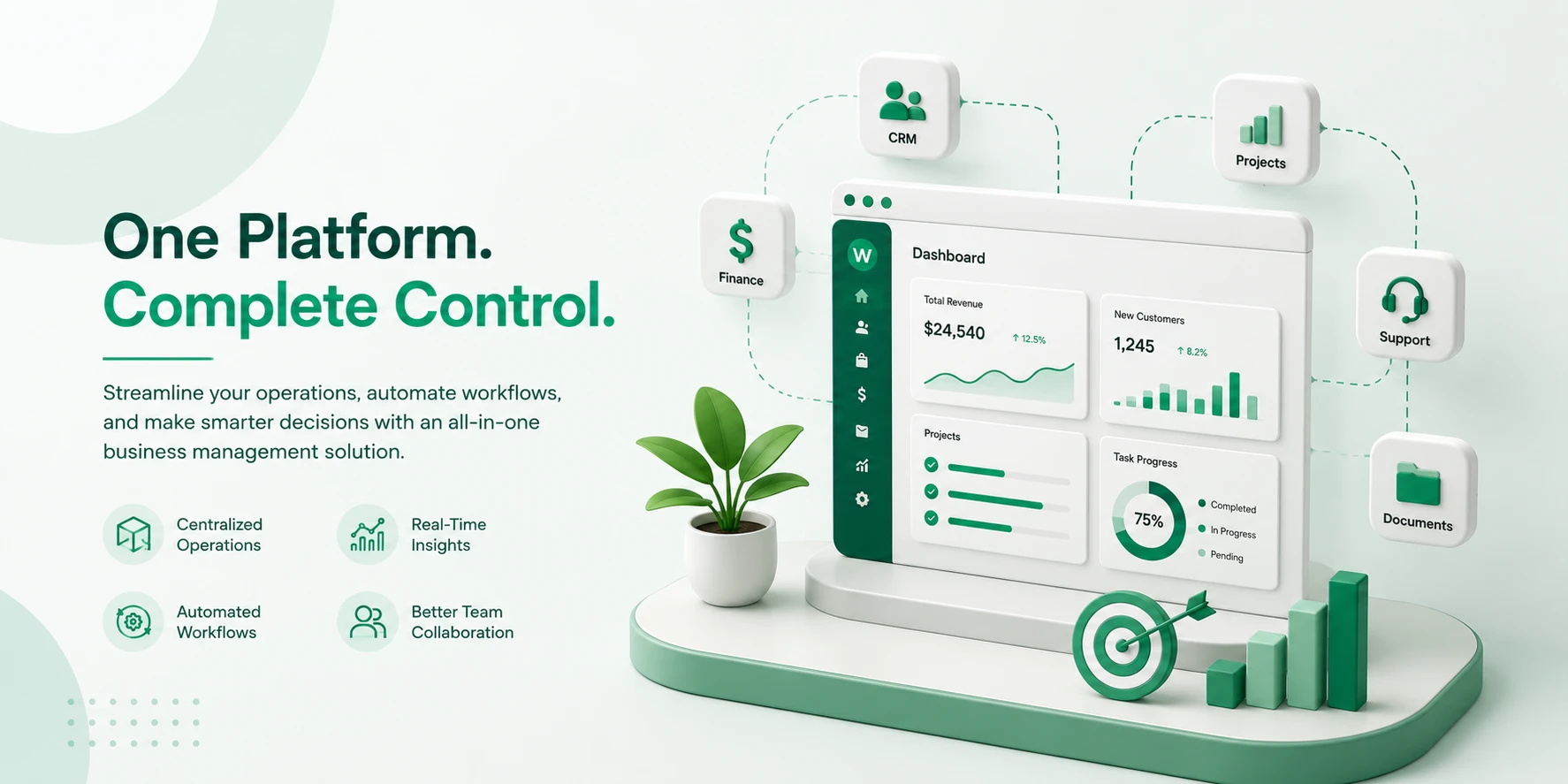
As your business grows, your software should grow with it. Look for a solution that supports additional users, departments, and advanced features without requiring a complete system change. Modular platforms make this easier — you can start with a core system and switch on additional business modules only when you actually need them.
4. Check Integrations
Ensure the software integrates with the tools your business already uses, such as Google Workspace, Microsoft 365, Stripe, PayPal, QuickBooks, or Slack. Seamless integrations improve productivity and reduce manual work.
5. Prioritize Ease of Use
A user-friendly interface helps your team adopt the software quickly and minimizes training time. Most providers offer free trials or demos, allowing you to evaluate the platform before committing.
6. Compare Pricing and Support
Consider the total value rather than just the subscription cost. Look for transparent pricing, responsive customer support, regular updates, and comprehensive documentation that covers installation, configuration, and day-to-day use.
Quick Checklist
Before choosing a business management solution, make sure it:
- ✅ Meets your business requirements
- ✅ Includes the features you need
- ✅ Fits your budget
- ✅ Integrates with your existing tools
- ✅ Offers strong security and reliable support
- ✅ Can scale with your business
The best business management software is one that centralizes your operations, improves efficiency, and supports long-term growth. For many small and growing businesses, an all-in-one platform like Dash SaaS can be a cost-effective choice by combining CRM, project management, HR, accounting, and automation into a single solution.
Conclusion: Choose for Fit, Then Commit
The companies that get the most out of a business management platform aren’t the ones that bought the most features. They’re the ones that understood their own workflows first, chose a system that matched them, cleaned their data before migrating, rolled out one module at a time, and gave someone real authority to own the outcome.
Start with the diagnostic at the top of this guide. If five or more of those signs describe your week, the question isn’t whether to consolidate — it’s which platform and when. Run the five-year cost comparison. Bring your messiest real scenarios to the demo. Check your exit terms. Then commit properly, because half-adopted software is worse than none.
If ownership, deep customization, and cost that doesn’t climb with headcount matter to you, the right business management software may be one you host and control yourself. You can explore Dash SaaS and try the live demo here to see how an all-in-one, open-source ERP handles CRM, HR, accounting, inventory, projects, and POS from a single platform — before you spend anything.
 Frequently Asked Questions (FAQs)
We're Here to Help - Let's Talk
Have questions about our solutions, customization services, or business tools? Our team is here to help you. let's talk.